
Table of Contents
- 🥇 1. NVIDIA GeForce RTX 5090 Founders Edition
- 🥈 2. NVIDIA GeForce RTX 5070 Ti (ASUS TUF Gaming)
- 🥉 3. AMD Radeon RX 9070 XT (GIGABYTE Gaming OC)
- 🏅 4. AMD Radeon RX 9070 (GIGABYTE Gaming OC)
- 🎖️ 5. NVIDIA GeForce RTX 5070 (MSI Vanguard SOC)
- 🎗️ 6. AMD Radeon RX 9060 XT 16GB (ASRock Challenger Pro)
- ⭐ 7. Intel Arc B570 (ASRock Challenger)
- Expert Buying Guide for Graphics Cards in 2026
- Final Thoughts
🥇 1. NVIDIA GeForce RTX 5090 Founders Edition
Ideal for: The Fastest Consumer Card, No Compromises
 The NVIDIA GeForce RTX 5090 sits at the very top of the consumer stack, and it is the clear pick when you want the most capable graphics card in 2026 without stepping into workstation hardware. Nvidia publishes 32 GB of GDDR7 for this card, the largest frame buffer on any GeForce product, which gives you room for the heaviest games, high-resolution texture packs, and demanding creative workloads. It is built on the Blackwell architecture and supports DLSS 4, Nvidia’s current upscaling and multi frame generation stack, the same generation story as the rest of the 50 series but scaled up to the flagship. Power is the part of the purchase you must plan for: Nvidia lists a 575 W total graphics power, so your power supply, cables, and case airflow are part of the buying decision. Buy the RTX 5090 when you need the maximum frame buffer and the full 50-series feature set and your power supply is ready. For almost everyone else, a lower number on this list is the smarter way to spend.✅ Pros:
- 32 GB of GDDR7: The largest frame buffer on a GeForce card, with headroom for the heaviest games and creative workloads.
- Blackwell Architecture: The top of Nvidia’s current 50-series generation.
- DLSS 4 with Multi Frame Generation: Nvidia’s newest upscaling and frame generation stack.
- Built for Games and Creation: Nvidia positions it for the most demanding games and creative applications on a GeForce product.
- Founders Edition: Nvidia’s own board design rather than a partner card.
- The street price is the problem; it costs far more than every other card on this list.
- A 575 W total graphics power rating means your PSU and case plan are part of the purchase.
🥈 2. NVIDIA GeForce RTX 5070 Ti (ASUS TUF Gaming 16GB)
Ideal for: High-End Gaming Before the Flagship Price Jump
 The NVIDIA GeForce RTX 5070 Ti is the high-end pick for buyers who want the Nvidia feature set without paying flagship money. This ASUS TUF Gaming board carries 16 GB of GDDR7, matching the memory size of the top AMD cards in this list but on faster GDDR7 instead of GDDR6. You get the same Blackwell architecture and DLSS 4 stack as the RTX 5090, along with the 50 series’ ray tracing and tensor hardware, which is the main Nvidia reason to choose this card. Nvidia lists a 300 W total graphics power for the 5070 Ti, a far easier power budget than the flagship. Creators get a bonus here too: Nvidia lists dual ninth-generation NVENC encoders on this class, which matters if you stream, record, or edit as much as you game. If you only care about raster performance and FSR, and you find a better AMD deal on the day you shop, the RX 9070 XT at number three can win. If you need Nvidia’s stack at the top of the mid-high ladder, the RTX 5070 Ti is one of the best GPUs of 2026 to buy.✅ Pros:
- 16 GB of GDDR7: Plenty of VRAM for modern games, on faster memory than the AMD 16 GB cards.
- DLSS 4 and Strong Ray Tracing: The full 50-series feature set without the flagship price.
- Dual Ninth-Generation Encoders: A real advantage for streamers and video creators.
- 300 W Total Graphics Power: Far easier to power and cool than the RTX 5090.
- ASUS TUF Gaming Board: A large triple-fan cooler from ASUS’s durability-focused line.
- It can cost more than the RX 9070 XT, which also has 16 GB, so compare both product pages.
- Triple-fan TUF boards are large, so check the length against your case.
🥉 3. AMD Radeon RX 9070 XT (GIGABYTE Gaming OC 16G)
Ideal for: The Strongest AMD Card Near the Ti
 The AMD Radeon RX 9070 XT is the XT cut of AMD’s 9070 line and the most compute you can get from Radeon in this list. AMD publishes 64 compute units for the XT versus 56 on the non-XT, with the same 16 GB of GDDR6 on a 256-bit interface. It runs on RDNA 4 and supports FSR 4 through AMD’s Radeon software stack, and AMD lists a 304 W typical board power, close to the RTX 5070 Ti’s power budget. On the day we checked prices for this guide, this card cost less than the RTX 5070 Ti while ranking close to it. Prices change, so treat that as a reminder to compare both pages, not a locked deal. The RX 9070 XT is the pick when you want the stronger AMD card in this ladder and you are weighing it against the Nvidia Ti above. In the RTX 5070 Ti vs RX 9070 XT choice, the AMD card gives you more compute units for the money, while the Nvidia card gives you DLSS 4, GDDR7, and dual encoders. If you need Nvidia’s encoder stack or DLSS by default, go to number two. If you want maximum Radeon compute before the flagship Nvidia card, this is one of the best graphics cards for 2026 for the money.✅ Pros:
- 64 Compute Units: The most Radeon compute on this list, ahead of the RX 9070’s 56.
- 16 GB of GDDR6 on 256-bit: The same memory size as the Nvidia Ti.
- FSR 4 on RDNA 4: AMD’s current upscaling and Radeon feature set.
- Strong Value Against the RTX 5070 Ti: It can cost less than the Ti while ranking close to it.
- GIGABYTE Gaming OC Board: A factory-overclocked triple-fan design.
- No DLSS, so gamers tied to Nvidia’s ecosystem may prefer the 5070 Ti.
- A 304 W typical board power needs a capable PSU and good case airflow.
🏅 4. AMD Radeon RX 9070 (GIGABYTE Gaming OC 16G)
Ideal for: Best 1440p Value from AMD
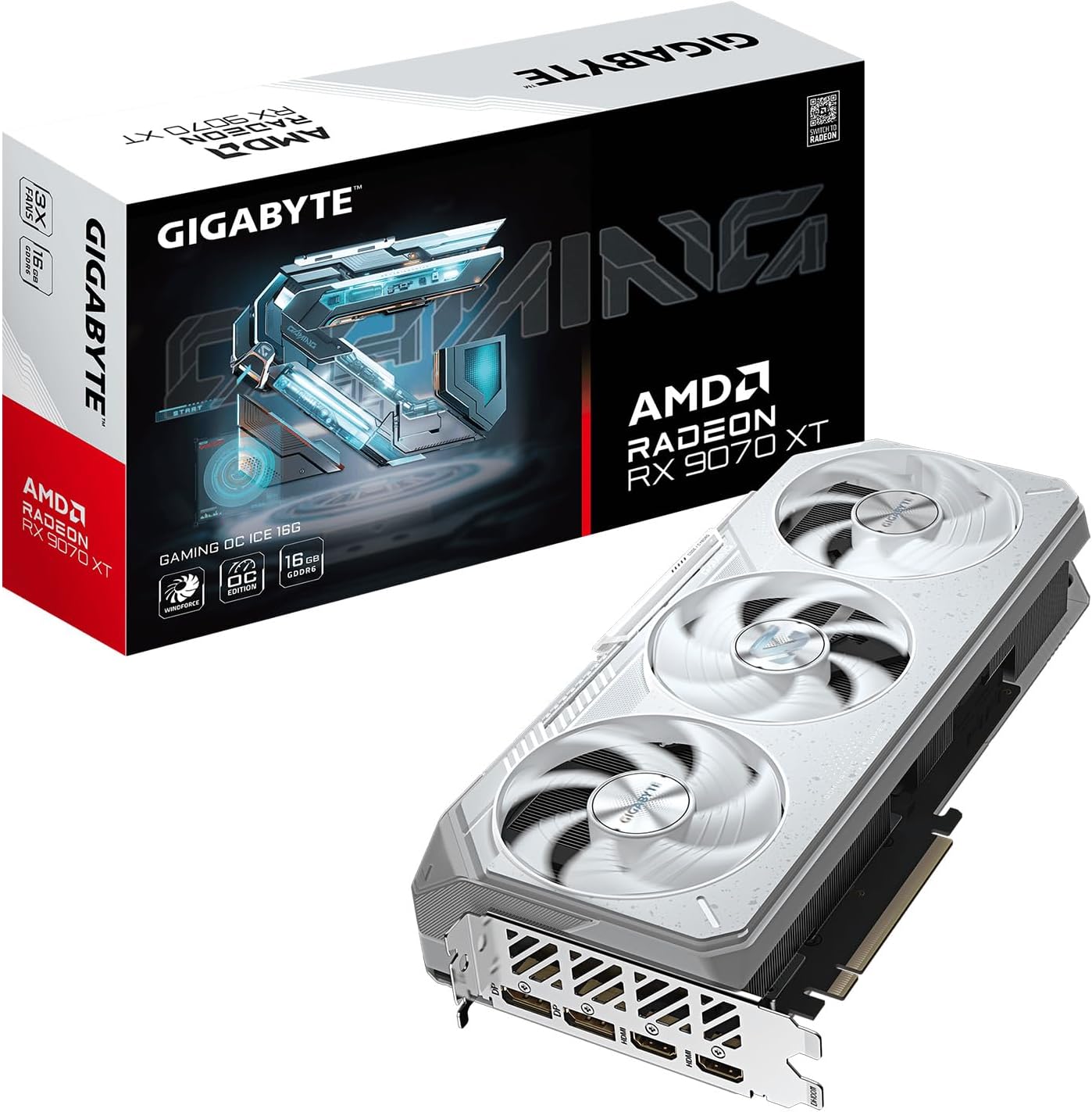 The AMD Radeon RX 9070 is a strong 1440p graphics card for gamers who want plenty of memory and the Radeon feature set without stepping up to the XT. Compared with the RTX 5070 at number five, this GIGABYTE board publishes 16 GB of GDDR6 against 12 GB, which gives you more headroom as new games push VRAM use higher. AMD lists 56 compute units, RDNA 4 features including FSR 4, and a 220 W typical board power, the lowest power draw of the three 16 GB cards in the top four. Memory bandwidth on AMD’s reference sheet is up to 640 GB/s on a 256-bit interface, the same bus width as the XT. The RX 9070 makes the most sense when memory size and AMD’s feature set matter more to you than chasing the XT’s extra compute. If DLSS is non-negotiable for you, stay on Nvidia. If 16 GB at a sensible power draw is the goal, the RX 9070 is an easy recommendation.✅ Pros:
- 16 GB of GDDR6: More VRAM than the RTX 5070 in this list.
- 256-bit Bus, up to 640 GB/s: The same bus width as the RX 9070 XT.
- 220 W Typical Board Power: Efficient for a 16 GB card.
- FSR 4 on RDNA 4: AMD’s current upscaling and Radeon feature set.
- Great Fit for 1440p: Balanced memory, compute, and power for high-refresh 1440p play.
- 56 compute units versus 64 on the XT, so the XT pulls ahead if you can stretch the budget.
- No DLSS; buyers tied to Nvidia’s ecosystem should look at the RTX 5070 or 5070 Ti.
🎖️ 5. NVIDIA GeForce RTX 5070 (MSI Vanguard SOC 12G)
Ideal for: The Nvidia Starting Point for 1440p
 The NVIDIA GeForce RTX 5070 is the first Nvidia card in this ranking and the entry point to the 50 series for 1440p gaming. This MSI Vanguard SOC board carries 12 GB of GDDR7, and that 12 GB ceiling is the one real limit to keep in mind. It runs on the Blackwell architecture and supports DLSS 4, Nvidia’s current upscaling and multi frame generation stack, so you get the same feature set as the more expensive 50-series cards. Nvidia lists a 250 W total graphics power for the RTX 5070, which keeps it easy to power in most mid-range builds. It is the right GPU for 2026 when you want DLSS and the 50-series features at 1440p without paying for the Ti. If you already know your games will push past 12 GB of VRAM, look at the 16 GB cards above it. If you want Nvidia at this rung of the ladder, the RTX 5070 is the entry.✅ Pros:
- DLSS 4 with Multi Frame Generation: The full 50-series upscaling stack at a mid-range price.
- 12 GB of GDDR7: Fast memory for 1440p gaming.
- Blackwell Architecture: The same generation as the RTX 5070 Ti and RTX 5090.
- 250 W Total Graphics Power: Manageable for most mid-range power supplies.
- MSI Vanguard SOC Board: A board from MSI’s premium Vanguard line.
- 12 GB of VRAM is the hard limit on this board; the RX 9070 offers 16 GB.
- Buyers who want more headroom for future games should consider the 16 GB cards above.
🎗️ 6. AMD Radeon RX 9060 XT 16GB (ASRock Challenger Pro)
Ideal for: Mid-Range Gamers Who Want 16 GB of Memory
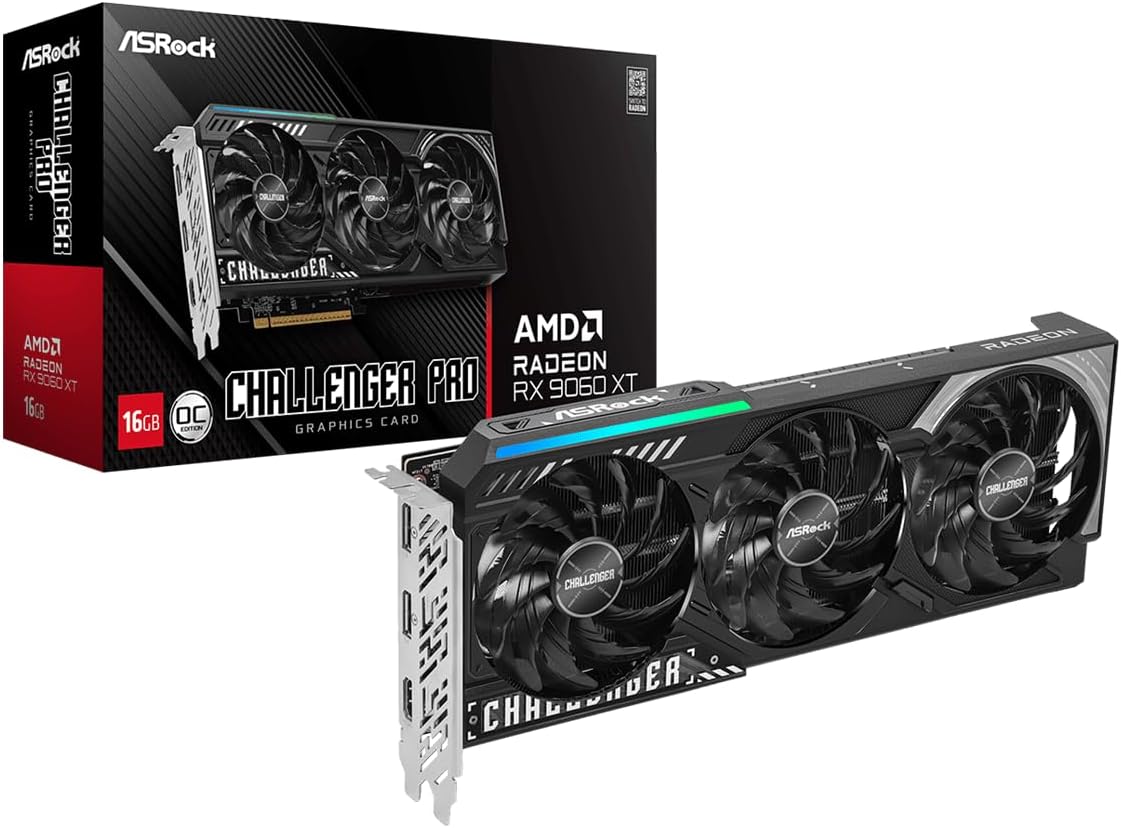 The AMD Radeon RX 9060 XT is still a mid-range card, but the 16 GB version is the whole point. AMD publishes 16 GB of GDDR6 on a 128-bit interface for this model, giving you far more frame buffer than the budget Arc below it without jumping into the more expensive 9070 class. It runs on RDNA 4, bringing the current Radeon feature set including FSR 4, and AMD lists a 160 W typical board power for the 16 GB class, low enough for compact builds and modest power supplies. Choose the RX 9060 XT 16GB when your games and tools run out of memory before they run out of raw speed, because that 16 GB matters more than chasing the next chip up. If you already know you need Nvidia’s DLSS stack, wait for the RTX 5070 instead.✅ Pros:
- 16 GB of GDDR6: Rare memory headroom at this tier of the market.
- RDNA 4 Architecture: AMD’s current generation and feature set.
- FSR 4 Support: AMD’s newest upscaling technology.
- 160 W Typical Board Power: Easy to power and cool in almost any build.
- ASRock Challenger Pro Board: A board from ASRock’s value-focused Challenger line.
- A 128-bit memory interface is narrower than the 256-bit bus on the RX 9070 cards.
- No DLSS, so Nvidia-first buyers should look at the RTX 5070.
⭐ 7. Intel Arc B570 (ASRock Challenger 10GB)
Ideal for: Budget Builds That Want a New Card
 The Intel Arc B570 is the best budget graphics card in this guide and the card for a new build that has to stay at the bottom of the ladder without buying used. Intel publishes 10 GB of GDDR6 for the B570, more memory than many entry-level cards have offered in the past. It is built on Xe2, Intel’s current Arc desktop architecture, and supports XeSS 2, Intel’s upscaling and frame generation stack for this generation. A 150 W typical board power keeps the power story simple for a first upgrade or a compact build. It is the lowest-priced card in this guide, but prices change, so check the product page before you buy. If you need Nvidia DLSS or AMD FSR as your primary upscaler, skip ahead to the RTX 5070 or RX 9060 XT. If you want a brand-new discrete GPU with a published 10 GB frame buffer and a low board power, this is where the best GPUs of 2026 ladder starts.✅ Pros:
- Lowest-Priced Card in This Guide: A brand-new card for budget builds.
- 10 GB of GDDR6: A generous frame buffer for an entry-level card.
- XeSS 2: Intel’s upscaling and frame generation stack.
- 150 W Typical Board Power: The lowest power draw on this list.
- Xe2 Architecture: Intel’s current Arc desktop generation.
- No DLSS or FSR 4, so you rely on XeSS 2 support in the games you play.
- The least powerful card here; buyers aiming at 1440p should look higher on the list.
Expert Buying Guide for Graphics Cards in 2026
To choose among the best graphics cards for 2026, match the card to your screen first and your power supply second. These four checks narrow the list fast.1. Resolution: Pick the Screen First
Your monitor sets the bar, so decide your target resolution before you compare cards:- 1080p: Budget cards like the Intel Arc B570 and the RX 9060 XT are built for this tier and keep a new build affordable.
- 1440p: The sweet spot for most gamers. The RTX 5070 and RX 9070 are the cards in this list aimed squarely at 1440p.
- 4K and High Refresh: The RTX 5070 Ti, RX 9070 XT, and the flagship RTX 5090 give you the most headroom for 4K and the heaviest games.
- Streaming and Creating: The RTX 5070 Ti’s dual ninth-generation encoders and the RTX 5090’s 32 GB frame buffer matter most if you record, stream, or edit.
2. VRAM: How Much Memory You Really Need
Video memory is one of the easiest specs to compare, and running out of it is one of the hardest problems to fix later:- 10 GB: The Arc B570’s frame buffer, aimed at 1080p budget builds.
- 12 GB: The RTX 5070’s frame buffer. It’s fine for much of 1440p today, but it’s the hard limit on that card, so check what your favorite games use.
- 16 GB: The comfortable middle. The RX 9060 XT 16GB, RX 9070, RX 9070 XT, and RTX 5070 Ti all give you room for higher textures and future releases.
- 32 GB: Only the RTX 5090 offers this, and it matters most for 4K, heavy mods, and creative or AI workloads.
3. Upscaling and Features: DLSS 4, FSR 4, or XeSS 2
Every modern GPU leans on upscaling and frame generation, and each brand has its own stack:- Nvidia DLSS 4: Available on the RTX 5070, 5070 Ti, and 5090, with multi frame generation on the 50 series. Nvidia also lists dual ninth-generation encoders on the RTX 5070 Ti class for streaming and recording.
- AMD FSR 4: Available on the RDNA 4 cards: RX 9060 XT, RX 9070, and RX 9070 XT.
- Intel XeSS 2: Intel’s upscaling and frame generation stack on the Arc B570.
- Ray Tracing: Nvidia pairs DLSS 4 with the 50 series’ ray tracing and tensor hardware, which is the main reason to pick the RTX 5070 Ti over the RX 9070 XT.
4. Power Draw and Your PSU
The cards in this guide range from 150 W to 575 W of rated board power. Before you buy:- Check Your Power Supply: Low-power cards like the Arc B570 (150 W) and RX 9060 XT (160 W) fit almost any build, while the RTX 5090 (575 W) needs a high-wattage PSU and the right power cables.
- Measure Your Case: Triple-fan boards like the ASUS TUF and GIGABYTE Gaming OC are long, so confirm clearance. Higher-power cards like the RX 9070 XT (304 W) and RTX 5070 Ti (300 W) also need good case airflow.
Final Thoughts
The best GPUs of 2026 run from a budget first upgrade to a flagship that needs its own power plan. Here’s who each card is for:- For the Fastest Consumer Card: The NVIDIA GeForce RTX 5090 (🥇) has 32 GB of GDDR7 and the full 50-series feature set. Buy it only if the power bill and the street price make sense for you.
- For High-End Gaming Before the Flagship: The NVIDIA GeForce RTX 5070 Ti (🥈) gives you 16 GB of GDDR7 and DLSS 4 at a far more reasonable price.
- For the Strongest AMD Card Near the Ti: The AMD Radeon RX 9070 XT (🥉) brings 64 compute units and the same 16 GB, and it can cost less.
- For 1440p AMD Value: The AMD Radeon RX 9070 (🏅) pairs 16 GB with 56 compute units at an efficient 220 W.
- For the Nvidia 1440p Starting Point: The NVIDIA GeForce RTX 5070 (🎖️) delivers 12 GB of GDDR7 and DLSS 4, with 12 GB as the hard limit on that board.
- For Mid-Range Memory Headroom: The AMD Radeon RX 9060 XT 16GB (🎗️) offers RDNA 4 and FSR 4 when you want the frame buffer without the 9070 jump.
- For the Budget Entry: The Intel Arc B570 (⭐) gives you 10 GB of GDDR6, XeSS 2, and low board power for an affordable new build.